In the OnlyFans industry growth is rarely driven by a single profile. Most agencies, traffic teams and solo marketers rely on multiple social media accounts to generate reach, test different approaches and maintain a consistent flow of traffic. As platforms become more competitive, multiaccounting becomes a necessity.
One reason is scale. Running multiple accounts allows marketers to distribute content across different audiences, increase visibility and create additional traffic sources without relying on a single channel.
Another factor is risk management. Social platforms regularly suspend, restrict or ban accounts for various reasons, especially in the adult niche. When all traffic depends on one profile, a single ban can stop promotion at once.
Testing is also important. Different accounts can be used for different content strategies, creatives, regions or audience segments. This makes it easier to identify what works and scale successful approaches faster.
Social platforms generally dislike multiaccounting because it can be associated with spam, abuse, or policy violations. When several accounts are operated from the same device, platforms may detect behavioral and technical similarities and flag them for review. This is where antidetect browsers become essential.
Why Use an Antidetect Browser
An antidetect browser allows users to create isolated browser profiles, each capable of running its own account. Everything created and used inside one profile remains completely separate from the others.
As a result, issues affecting one account are less likely to impact the rest of the setup. Since platforms have a harder time linking profiles together, account infrastructure becomes more stable and resilient.
More importantly, an antidetect browser is not just a privacy tool. It combines browser fingerprint management, proxy integration, automation features and team collaboration tools within a single workspace.
Let's take a closer look at how Dolphin Anty helps users manage multiaccount operations.
Browser Fingerprinting
Dolphin Anty generates a separate browser fingerprint for every profile, making each one appear as a unique user with its own device environment. The browser can modify a wide range of technical parameters, including User-Agent data, time zone, WebRTC, Canvas, WebGL, fonts, HTTP headers and other attributes.
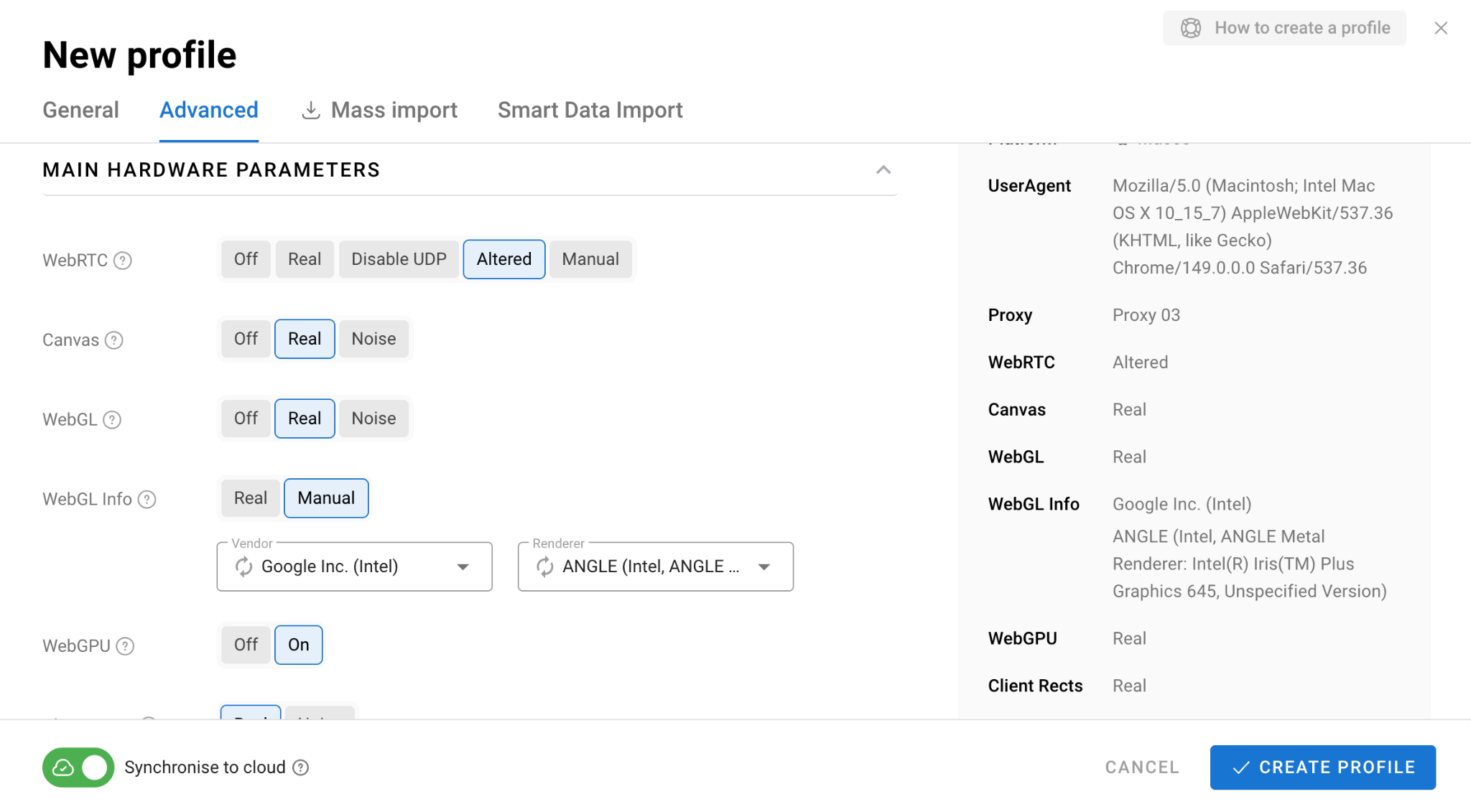
A useful feature that is not commonly found in competing products is device name customization. This can be particularly valuable when working with platforms that use advanced antifraud systems.
Most importantly, all fingerprint parameters are generated consistently. Users generally do not need to modify them manually unless they have a specific reason to do so. In most cases, the default configuration is the safest option.
Profile Management and Workspace Organization
Dolphin Anty is designed to be approachable for beginners while still offering enough functionality for experienced media buyers. Profiles are displayed in a table layout where each row represents a profile and columns contain important profile data. Users can customize these columns based on their own workflow by adding or removing parameters.
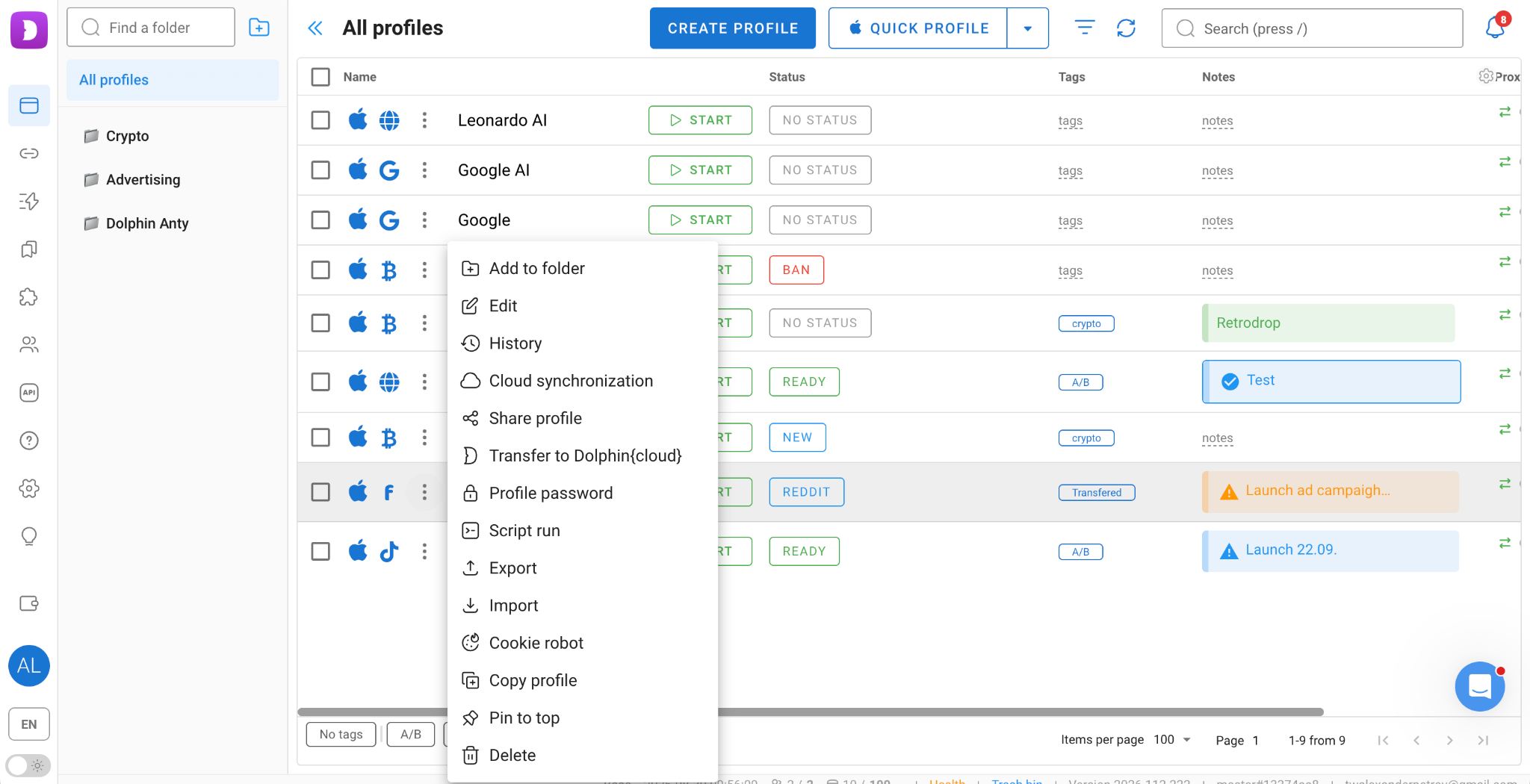
Profiles can be grouped into folders based on projects, traffic sources or any other structure. Tags, statuses, notes, icons and color labels make account organization even easier.
Important profiles can be pinned to the top of the workspace, while sensitive profiles can be protected with passwords to limit access. Both options are available through the profile context menu.
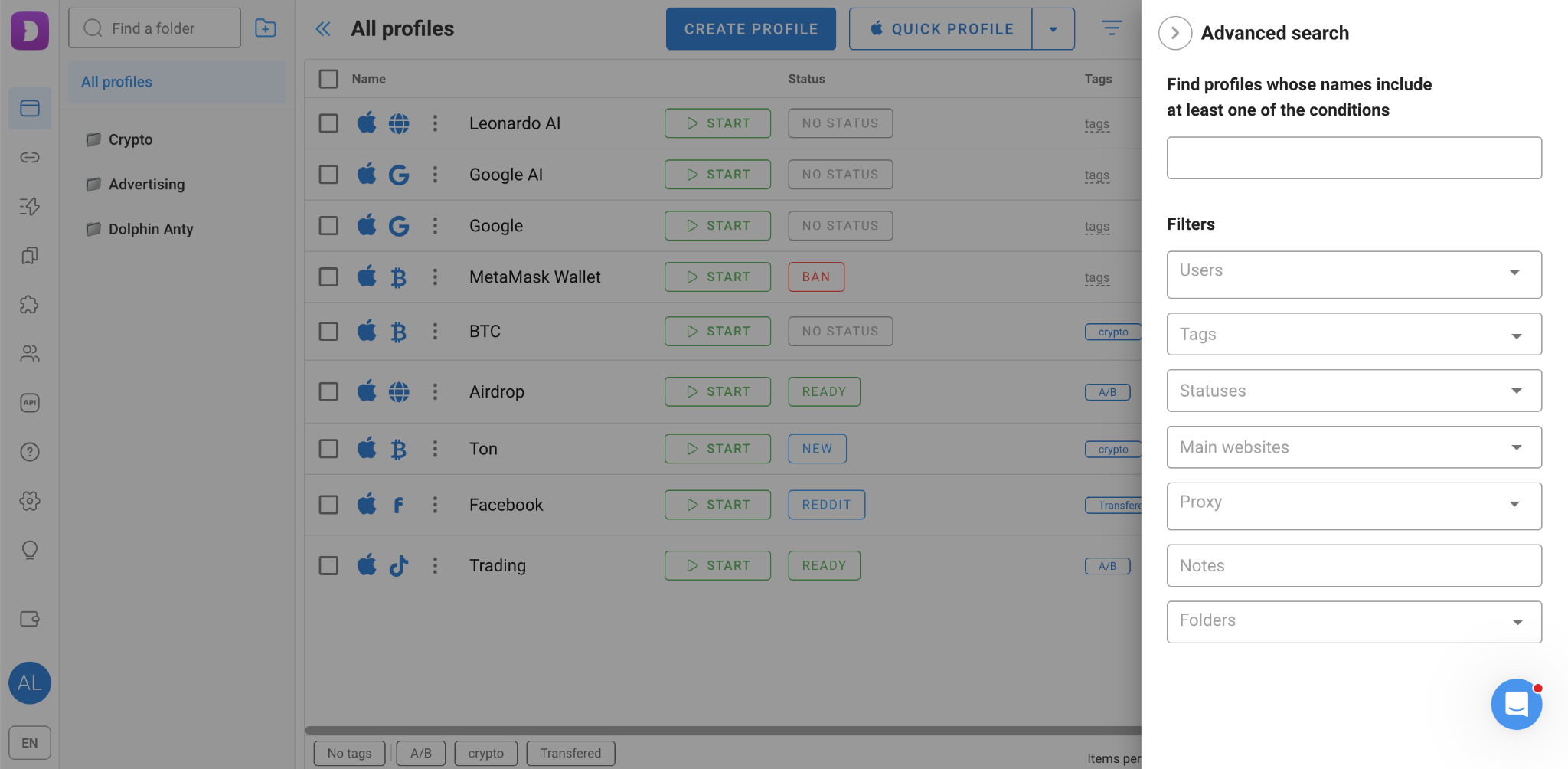
Finding profiles is straightforward thanks to the search bar and advanced filtering system, which allows users to locate accounts using multiple parameters.
Each profile can also have its own start pages and bookmarks. Bookmarks can be organized into folders and assigned to profile types.
Profile types are designed for specific platforms. For example, selecting the Facebook profile type automatically adds a set of useful bookmarks and assigns a corresponding icon to the profile.
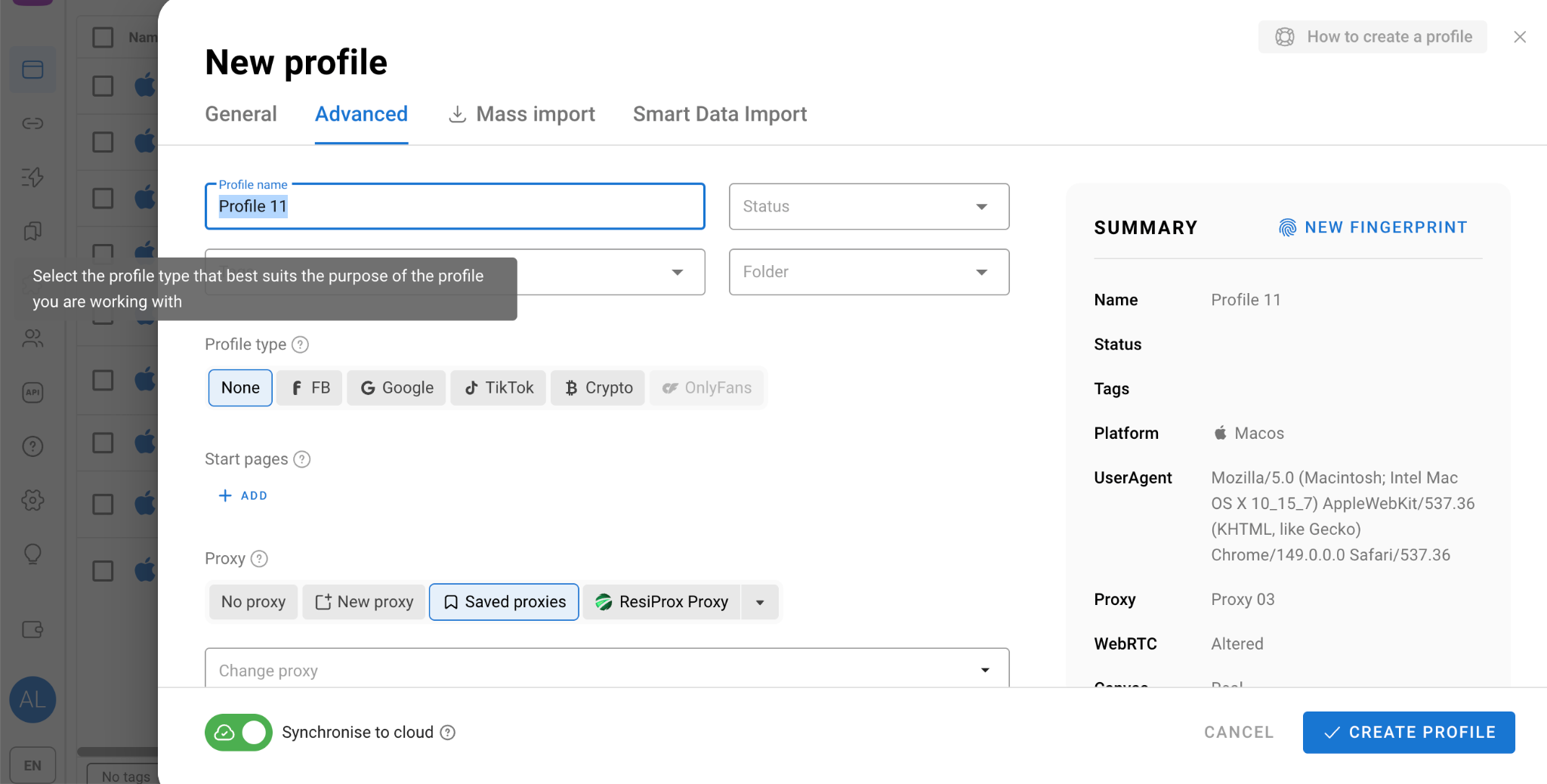
Together, these tools make navigation significantly faster.
Proxy Management
For users managing a limited number of accounts, the simplest option is to attach a proxy during profile creation. Creating a profile and adding a new proxy takes only a few clicks.
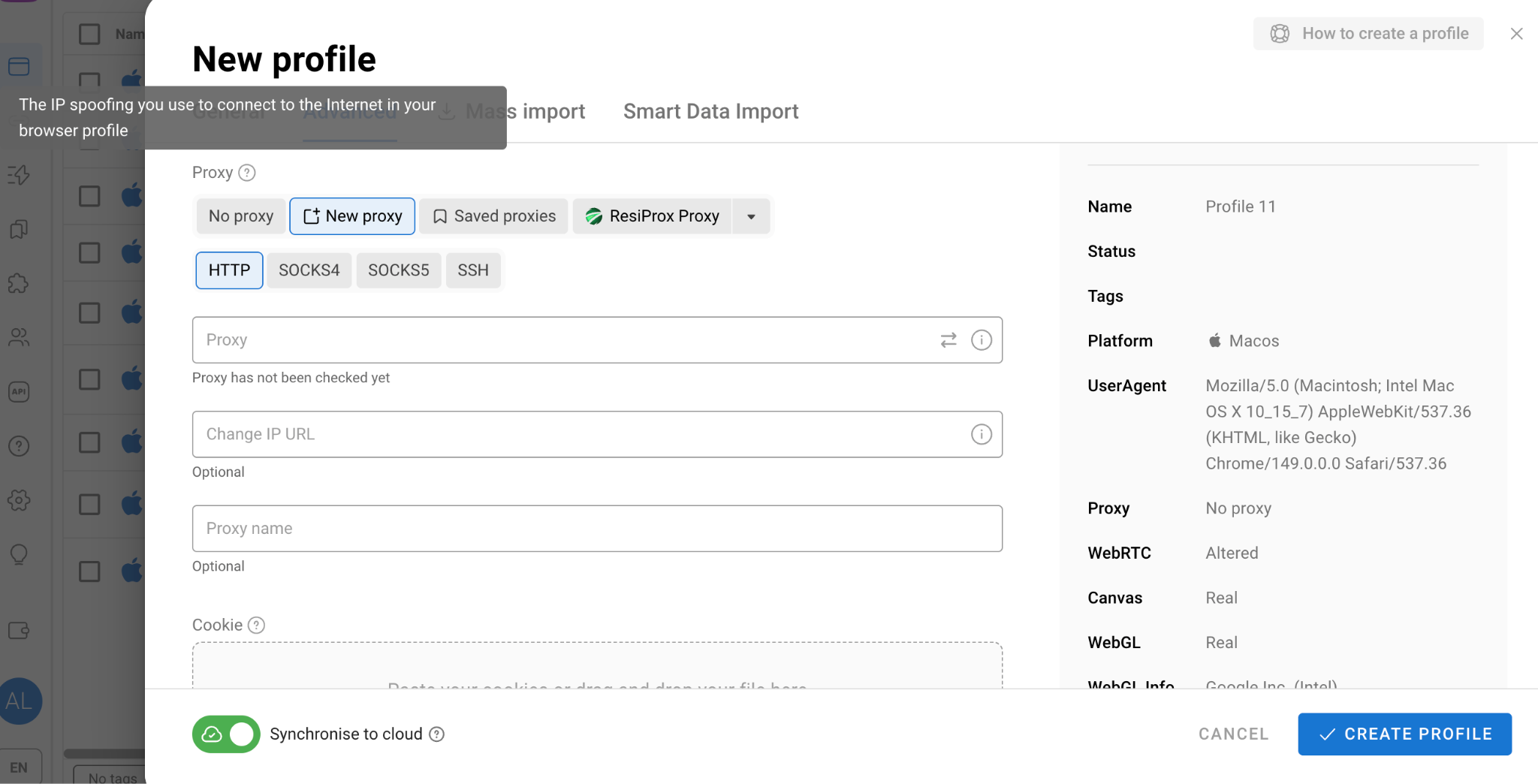
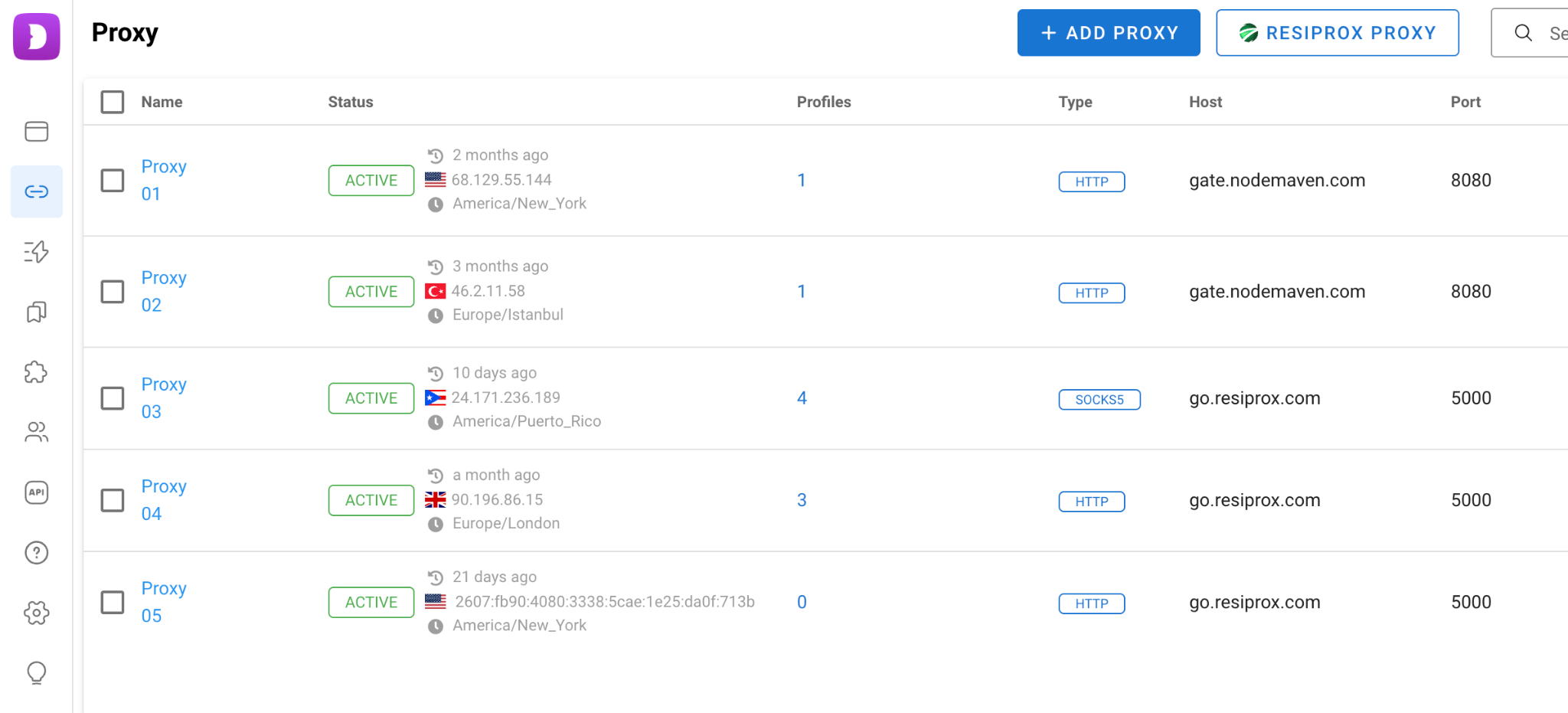
There is also a dedicated Proxy section where proxies can be added individually and later assigned to profiles when needed.
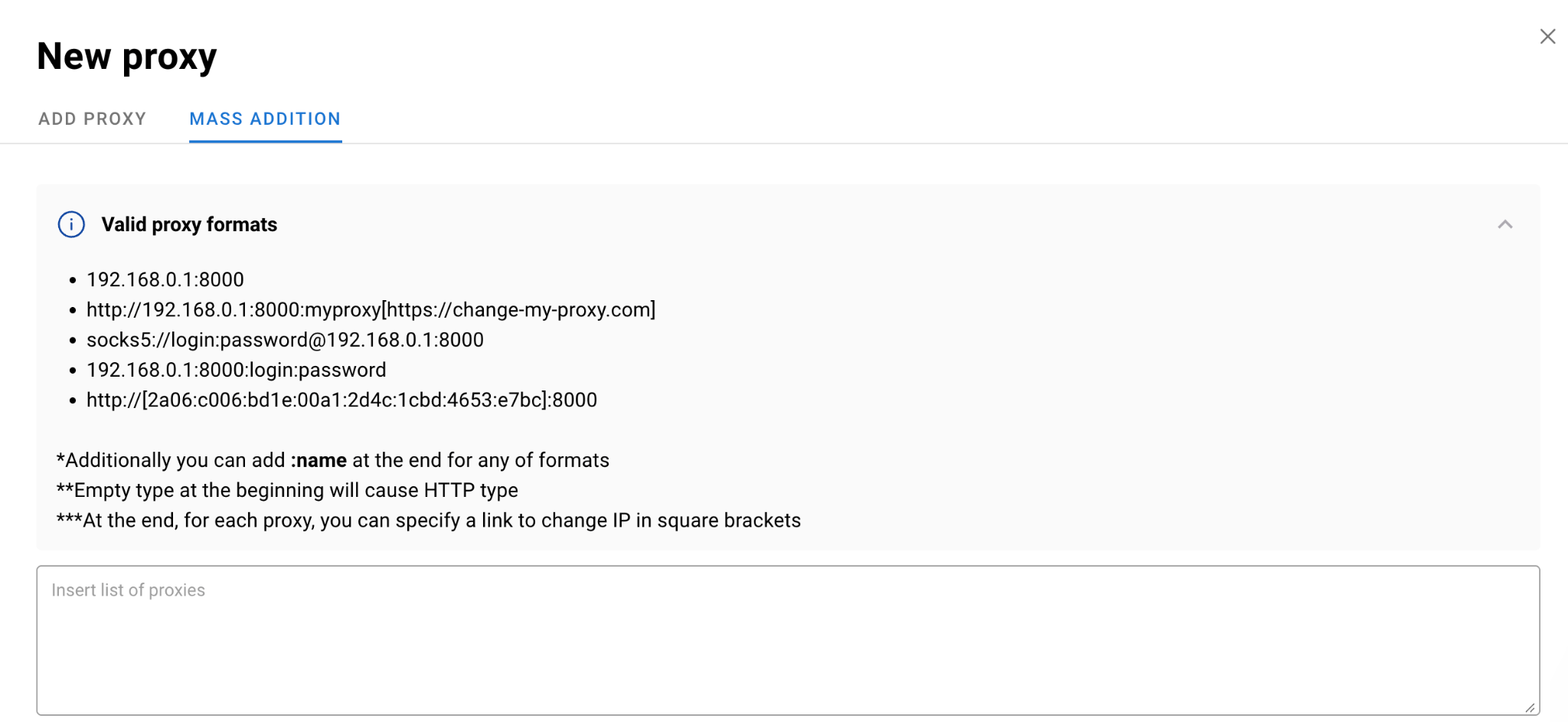
For larger operations, Dolphin Anty supports bulk proxy imports. The platform provides format guidelines reducing the risk of import errors.
IP rotation can be triggered with a single click from the workspace.
Dolphin Anty also integrates with several proxy providers, and some of them offer free trial traffic. This can be particularly useful for users working with limited budgets.
Automation Tools
Dolphin Anty includes several built-in automation features designed to reduce manual workload.
Scenarios
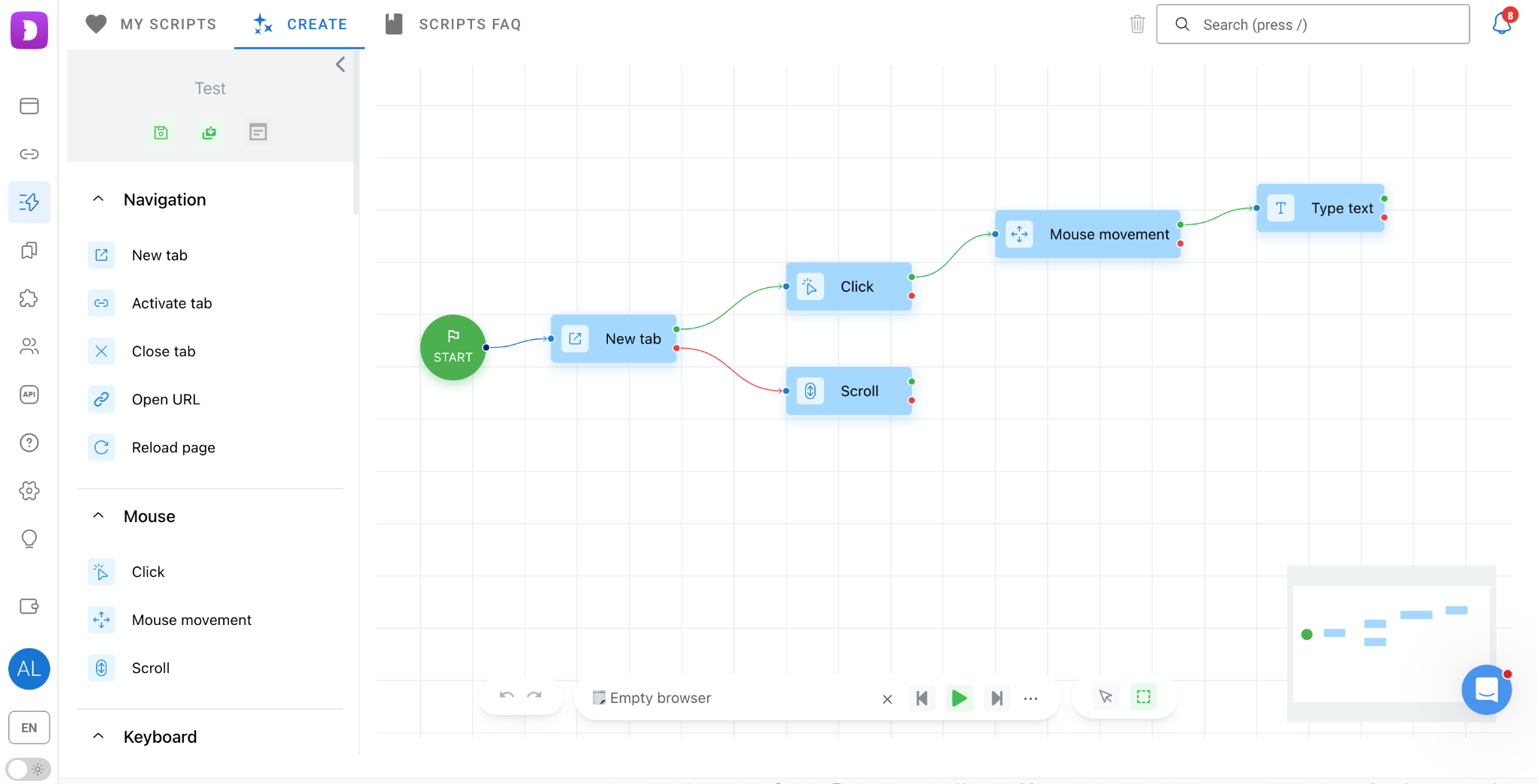
Scenarios allow users to create action sequences such as clicks, form submissions and page navigation through a visual drag-and-drop builder. No coding experience is required.
Synchronizer
The Synchronizer mirrors actions from a primary profile to connected profiles in real time.
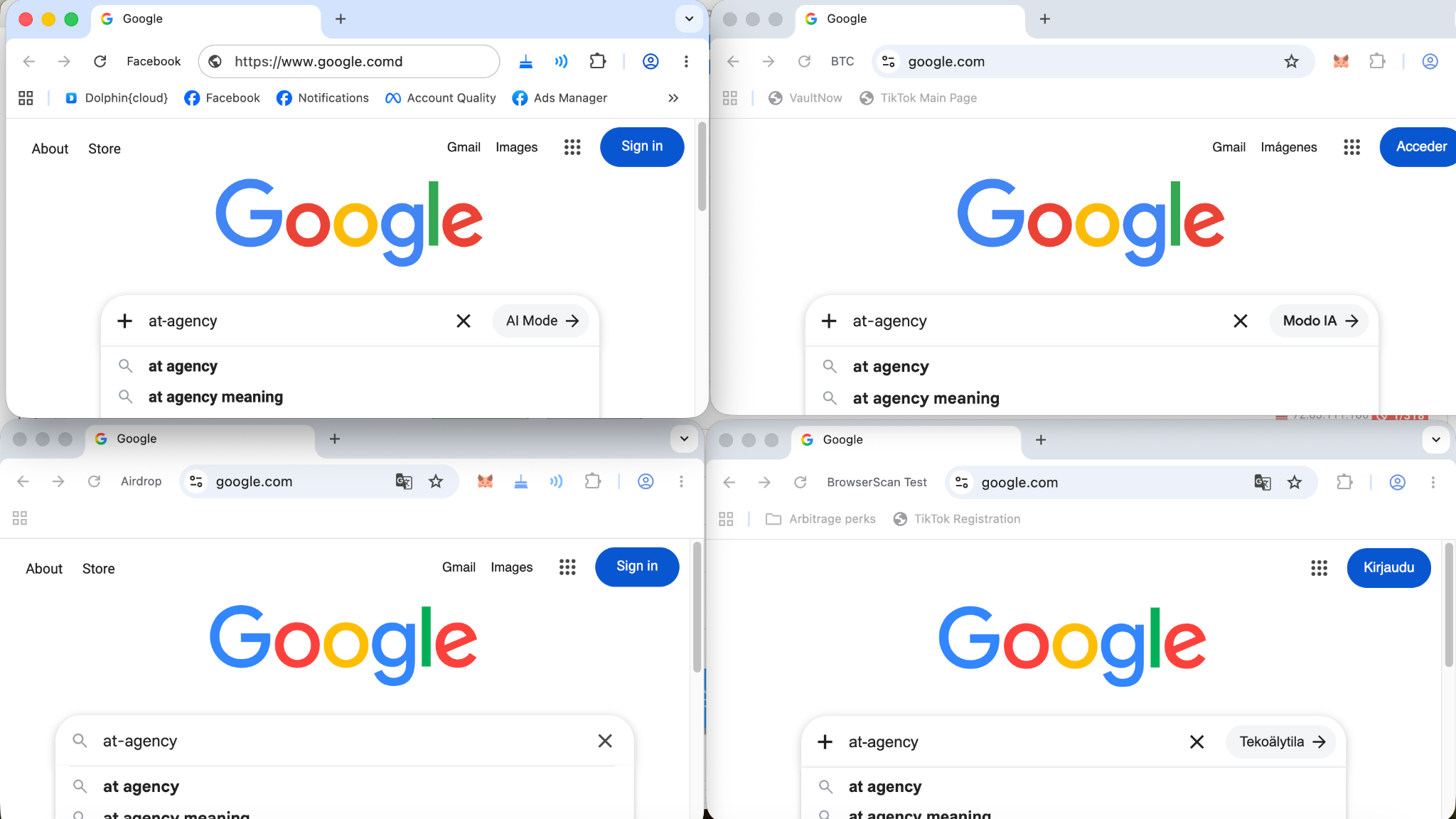
In affiliate marketing this is commonly used for tasks such as checking multiple ad accounts simultaneously, launching campaigns, logging into multiple accounts and applying identical settings.
Cookie Robot
Cookie Robot automatically visits websites, builds browsing history and generates more natural activity patterns before an account is put to work.
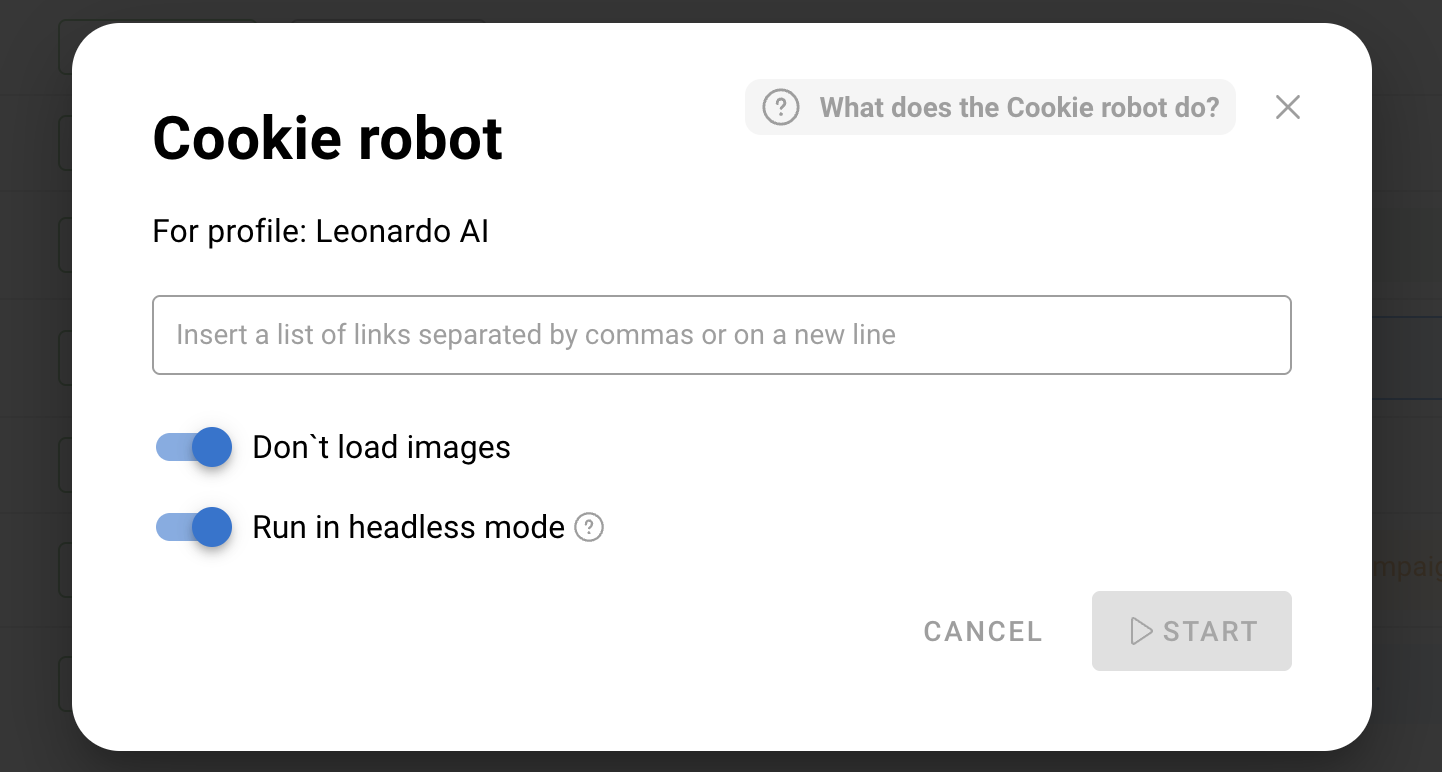
To reduce proxy traffic consumption, it can run in the background with image loading disabled.
Team Features and Pricing
Dolphin Anty offers a role-based system. The platform supports Admin, Teamlead and User roles with different permissions.
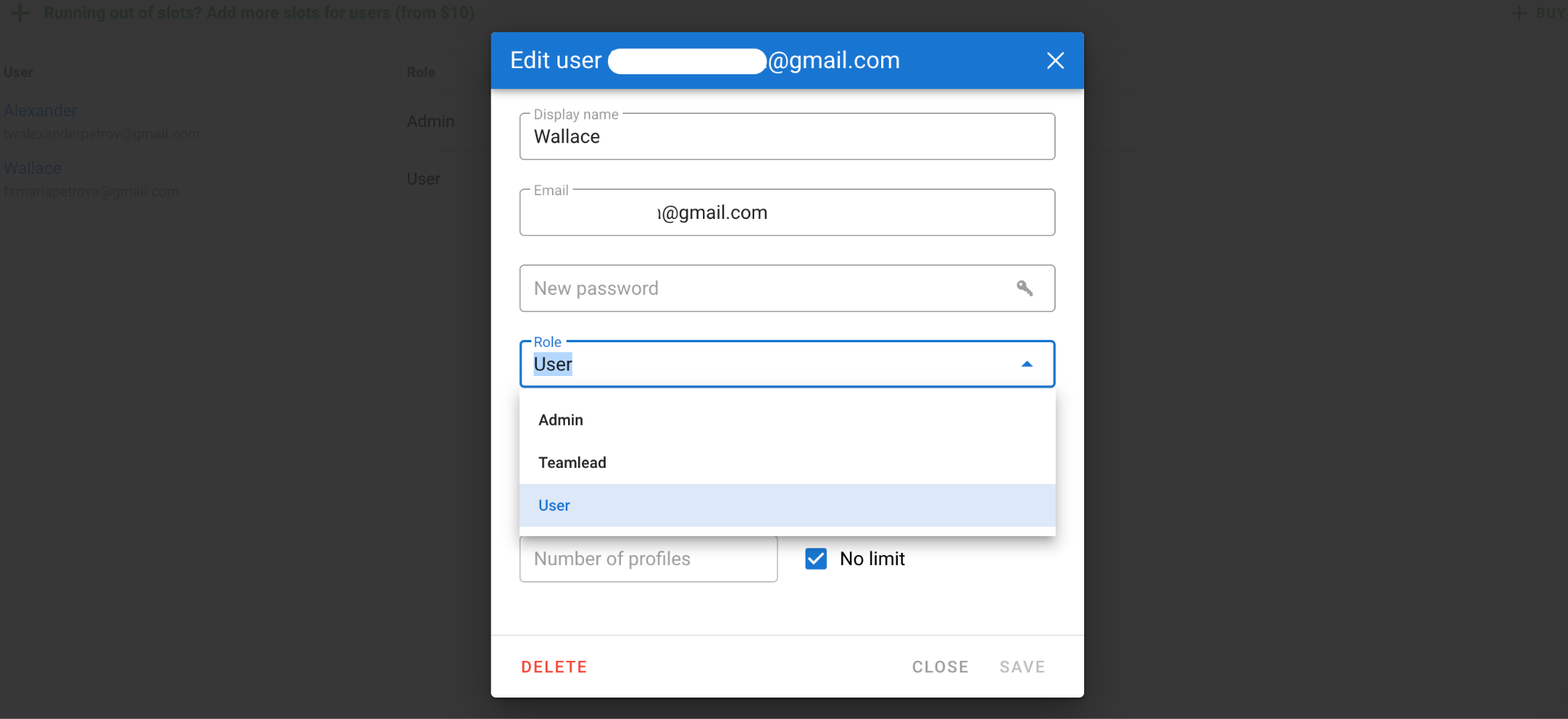
Profiles can also be transferred between team members or shared for collaborative work. This helps maintain clear access control and accountability across the team.
Dolphin Anty offers several pricing plans depending on account volume and team size.
The free plan includes five profiles with no time limits and no credit card requirement.
Starter begins at $10 per month for 20 profiles, Base costs $89 per month for 100 profiles and is suitable for solo media buyers and smaller teams. Team and Enterprise start at $159 and $299 respectively, providing additional management and collaboration capabilities for larger teams and agencies.
Conclusion
Dolphin Anty combines browser fingerprint management, proxy integration, automation tools, and team collaboration features in a single platform built for multiaccount operations. Whether you're promoting models independently or managing a large-scale agency setup, it provides the infrastructure needed to organize accounts, reduce risks and scale traffic.